Posts

AWS Network Firewall

Image
AWS Network Firewall is a managed network security service that provides protection for your Amazon VPC networks. It allows you to deploy network security across your VPCs with just a few clicks, without the need to provision or manage any infrastructure. Network Firewall provides fine-grained control over network traffic, allowing you to create firewall rules that provide protections like blocking outbound Server Message Block (SMB) requests to prevent the spread of malware, or disallowing domains and IP addresses that pose threats. AWS Network Firewall includes stateful inspection, intrusion prevention, and web filtering. The service uses rule groups to define network traffic inspection and filtering behaviors. These rule groups can be shared and reused across multiple firewalls, simplifying management for large or complex networks. Network Firewall integrates with other AWS services like CloudWatch for logging and monitoring, and AWS Firewall Manager for centralized management o...

Using Intune filters when assigning

Image
  Intune filters is a feature of Microsoft Intune that enables administrators to filter and target specific groups of devices or users based on certain criteria. It helps admins in application or policy assign- ments, and filters help to remove some of the conflicts in application deployments. With filters, you as IT admin have more flexibility when it comes to assignments. This means that you can assign to a group of users or devices and leverage the filter to include or exclude devices based on attributes that are supported with filters. Filters are evaluated promptly when devices check in to the Intune service, making them significantly faster than Entra dynamic groups, which operate on a scheduled basis. We will give you some examples of filters that can be useful when assigning different apps, policies, etc. To start creating filters, you need to follow these steps: 1.  In the Intune portal, go to Tenant admin | Filters. 2.  Click Create. 3.  In the first exampl...

AWS CLI — Multiple profiles

How to take advantage of multiple profiles feature! (with examples and tips) Why and How? The cloud environment should have multiple accounts, according to AWS best practice “Well-Architected Framework.” Based on the security requirements, each account has different groups, roles, and users. In such a configuration, you may have multiple profiles to use on a daily basis, either between different accounts or even within the same account, with each profile having different permissions or roles. Setting up Multiple Profiles Here is how you can add multiple profiles on AWS CLI To create multiple AWS CLI profiles, you can use the aws configure command. This command will prompt you for information such as your AWS Access Key ID and Secret Access Key, as well as the default region and output format for your profile. To create a new profile, you can use the — profile option, followed by the name of your profile. For example, if you wanted to create a profile named “dev”, you could use the foll...

Microsoft Inune

Image
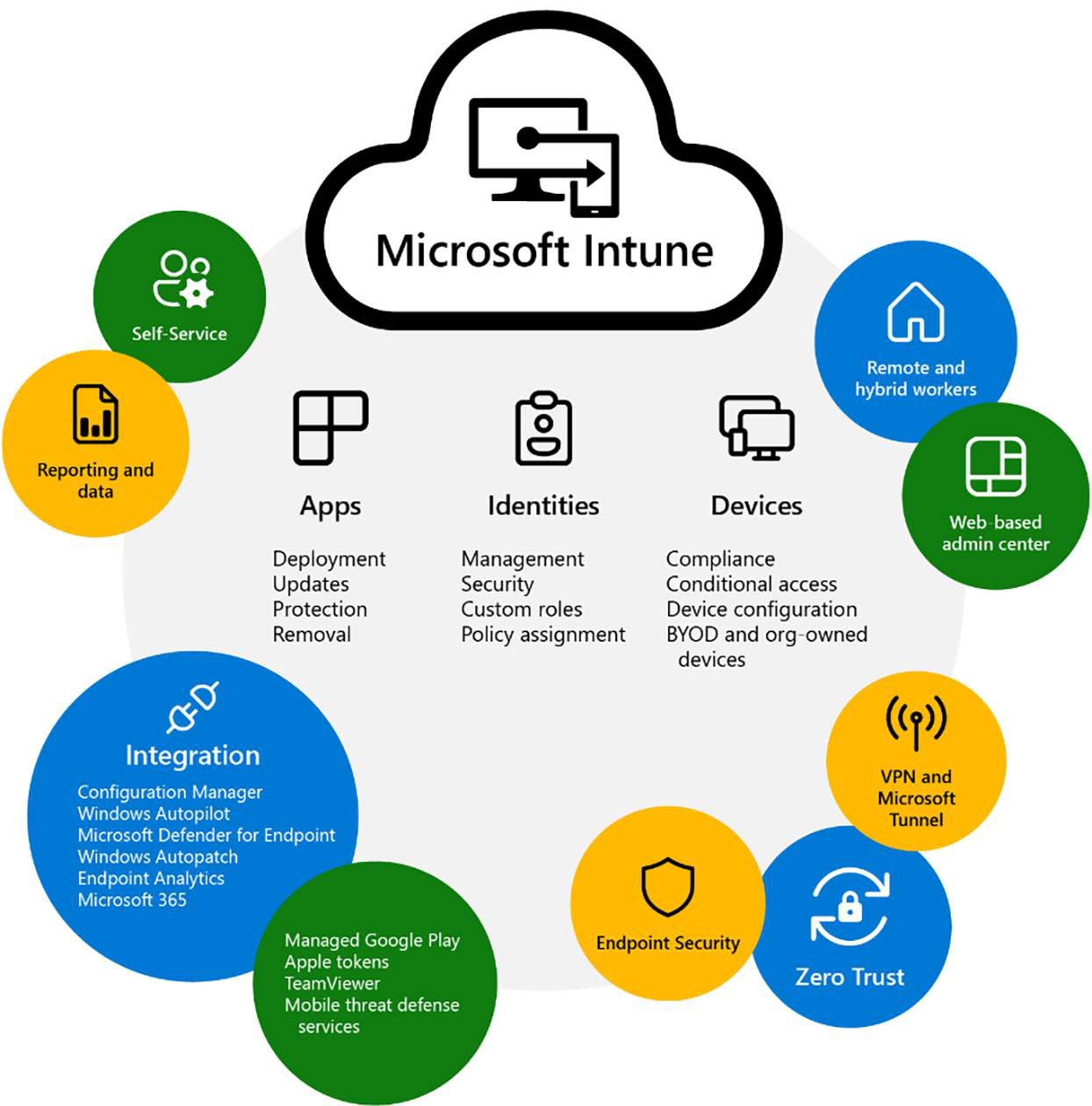
 Microsoft Intune is a family of products and services that helps businesses manage and maintain all their devices, regardless of whether it’s a physical device, or a cloud-connected device endpoint. The Intune family includes: •  Microsoft Intune •  Configuration Manager and co-management  •  Endpoint analytics •  Windows Autopilot •  Intune admin center •  Intune Suite  Microsoft Intune provides a holistic management experience while adding new functionality and in- telligent actions, such as anomaly detection in Advanced Endpoint Analytics and remediation scripts that can proactively resolve end user issues before they see an issue – without any complex migration or disruption of productivity. It provides several assets to aid your transition to modern management while also increasing customers’ security and helping them move to the cloud. Microsoft Intune also includes management capabilities for different endpoints. To summarize: 1....