Posts

Showing posts from October, 2025

How To Manage IAM Access Analyzer in AWS Organizations Using Terraform

Image
About the use case AWS Identity and Access Management (IAM) Access Analyzer  is a feature of AWS IAM that identifies resources shared with external entities and detects unused access, enabling you to mitigate any unintended or obsolete permissions. IAM Access Analyzer  can be used in AWS Organizations , allowing analyzers that use the organization as the zone of trust to be managed by either the management account or a  delegated administrator account . This enables the consolidation of findings, which can then be ingested by AWS Security Hub in a centralized setup. Since it is increasingly common to establish an AWS landing zone using  AWS Control Tower , we will use the  standard account structure  in a Control Tower landing zone to demonstrate how to configure IAM Access Analyzer in Terraform: The relevant accounts for our use case in the landing zone are: The  Management  account for the organization where AWS Organizations ...
Microsoft Intune device limit restrictions for Windows

Image
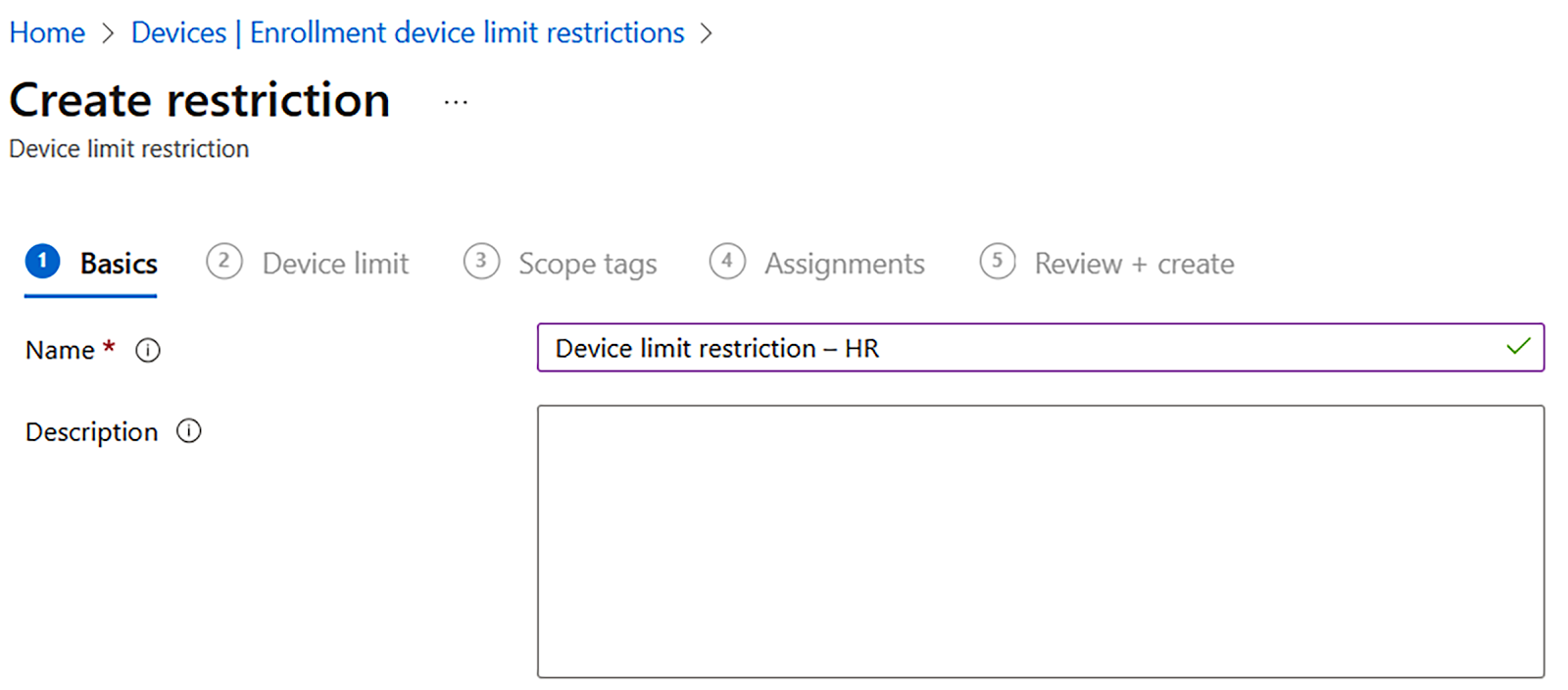
In this article, we will learn how to limit the restrictions for a device. Let’s get started. To configure the enrollment restriction for Windows, follow these steps: 1.  In the Microsoft Intune admin center, go to Home | Devices | Windows | Windows Enrollment | Device limit restriction and Create restriction: •  Name: Enter Device limit restriction – HR  Figure : Microsoft Intune admin center – Device limit restriction 2. You can set Device limit to a number from 1 to 15. The default in Microsoft Intune is a limit of 5: Figure : Microsoft Intune admin center – Device limit restriction 3. For the Assignments step, select HR Department. When you are creating a custom enrollment restriction, you can scope it to apply to specific user groups in your organization, departments, countries, and so on: Figure: Microsoft Intune admin center – Device limit restriction – Assignments 4. In the following screenshot, you can see an overview of the default device limit restrictions. Fig...

Azure VNet Network Segmentation: NSGs, ASGs, and Hub-Spoke Architecture

Network segmentation is fundamental to Azure security—isolating workloads limits the blast radius of breaches and enables granular access control. This guide covers implementing defense-in-depth network architecture using Virtual Networks, subnets, Network Security Groups, Application Security Groups, Azure Firewall, and hub-spoke topology. Overview Azure network segmentation involves multiple layers: Virtual Networks (VNets) : Isolated network boundaries Subnets : Logical divisions within VNets Network Security Groups (NSGs) : Layer 3/4 traffic filtering Application Security Groups (ASGs) : Logical grouping for NSG rules Azure Firewall : Layer 7 firewall with threat intelligence Route Tables (UDRs) : Custom traffic routing VNet Peering : Connecting VNets together Prerequisites Before implementing network segmentation: Azure subscription  with Network Contributor role Planned IP address scheme  that doesn't overlap with on-premises Azure CLI  (2.50.0+) or  Azure Powe...